Bulk scheduling across events and venues
Plan a whole program of events and venues in one pass, or start from the spreadsheet your client sends, then reuse it next month.
Event staff scheduling
A spreadsheet and a group text work until the week you run more shifts than one person can keep in their head. Staffli is the event staff scheduler built for agencies: plan a whole program at once, offer shifts to your most reliable workers first, collect the yeses in your branded app and see at a glance what is still open, so managers spend their time on clients instead of on texts.
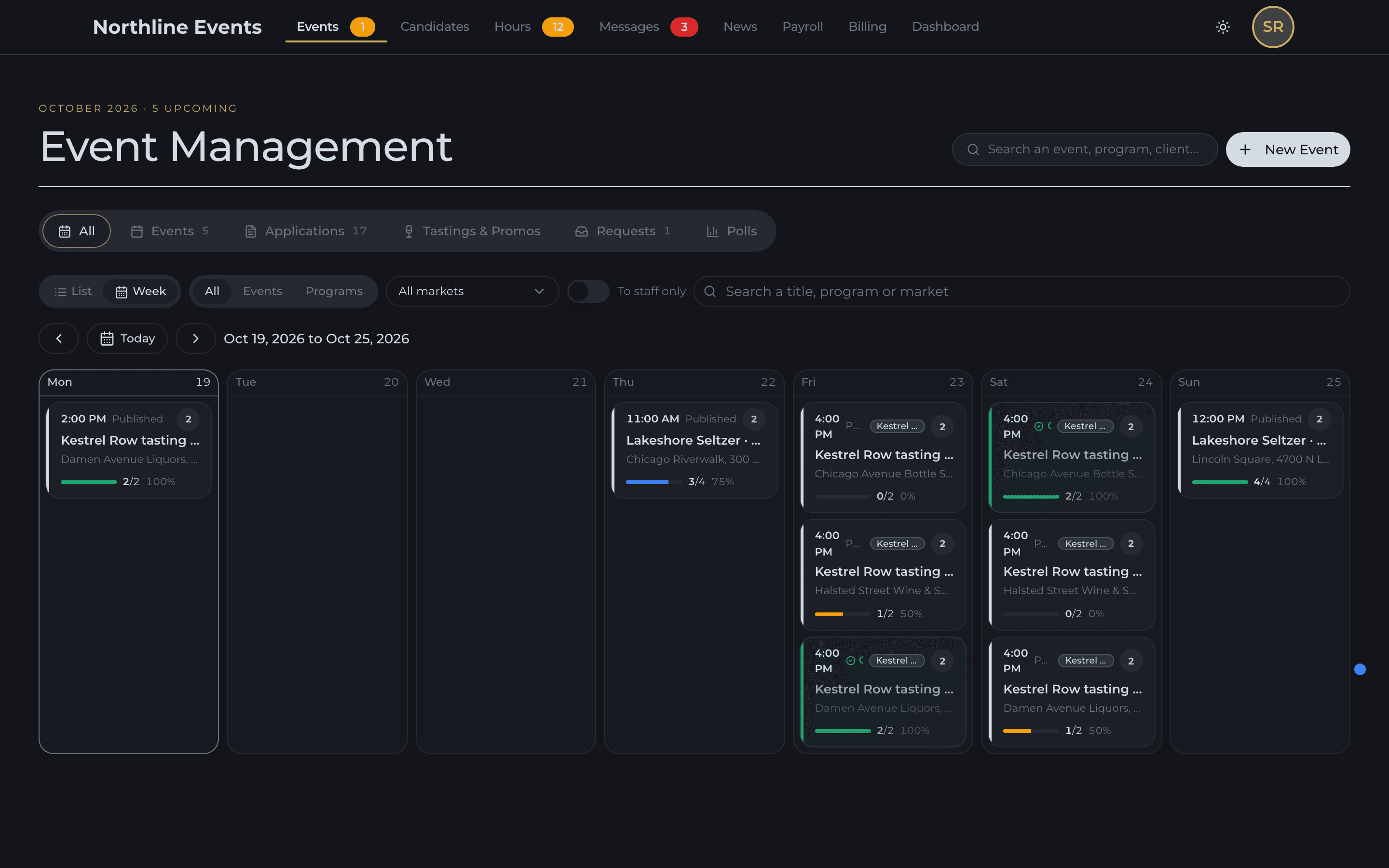
Plan a whole program of events and venues in one pass, or start from the spreadsheet your client sends, then reuse it next month.
Shifts go to your most reliable workers first, and the rest of the roster hears only if slots stay open.
Workers see the shifts offered to them and apply in one tap from your agency's app, with the brief and reminders on the shift.
Nelson, your AI staffing coordinator, spots the shifts at risk and fills the gaps from one sentence.
Not every worker is equal, and an event staff scheduler should not treat them as if they were. In Staffli, shifts go first to the people who have earned it with your agency, market by market, and the rest of the roster hears only if slots stay open. Nobody texts anyone one by one, and you can always book someone directly.
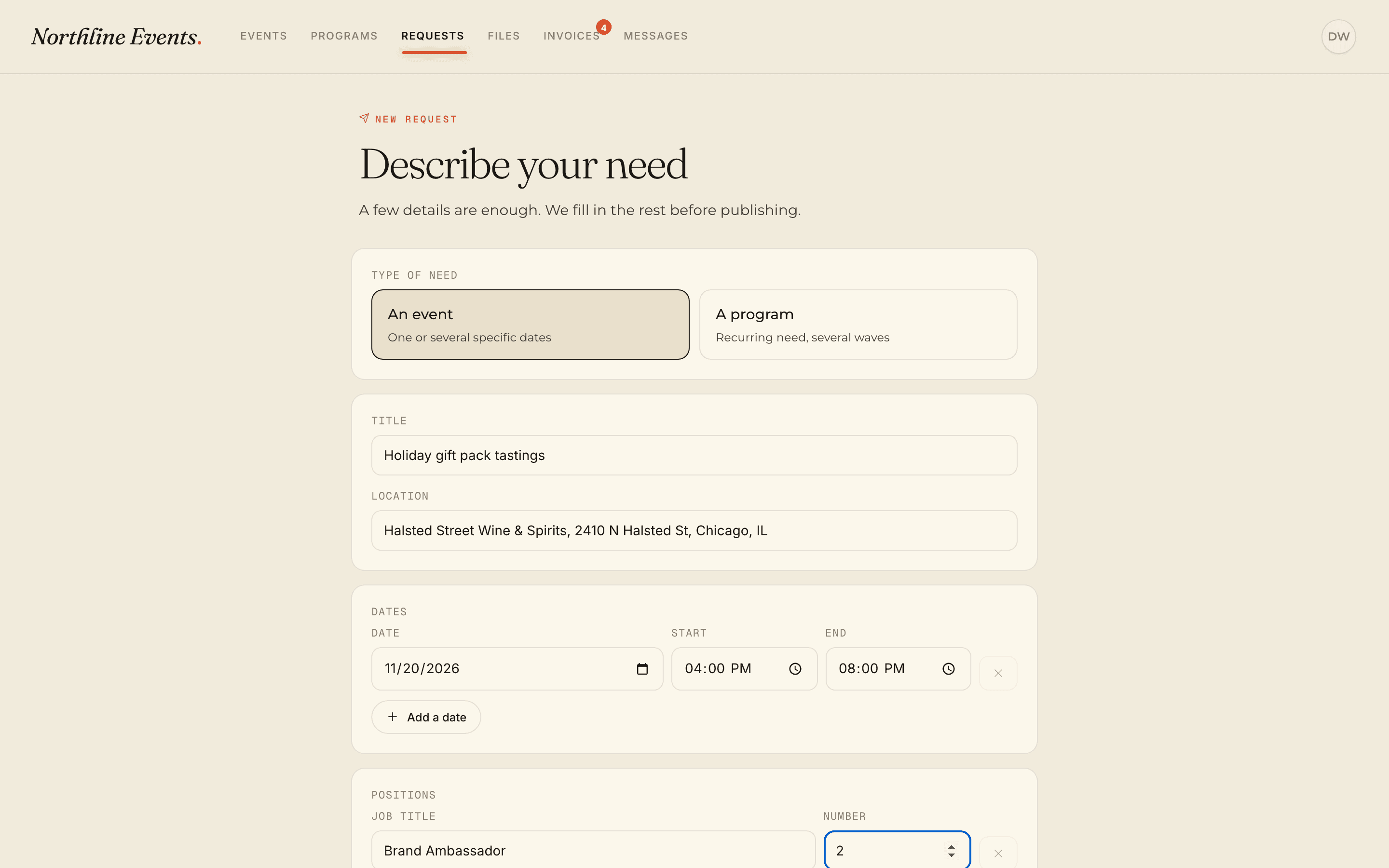
Shifts reach the schedule the way your clients send them: a one-off event, a season of recurring shifts, the client's own spreadsheet, or a request made in their portal. Each shift carries what the worker needs on the day, and next month starts from this one.
Start from the free event staff schedule templateOne schedule for every event and program, by week or as a list, with what is staffed and what is still open. Double bookings are caught before you confirm, and managers have the same back office on iPhone, so the schedule goes to the venue with them.
Beyond the schedule: event staff management software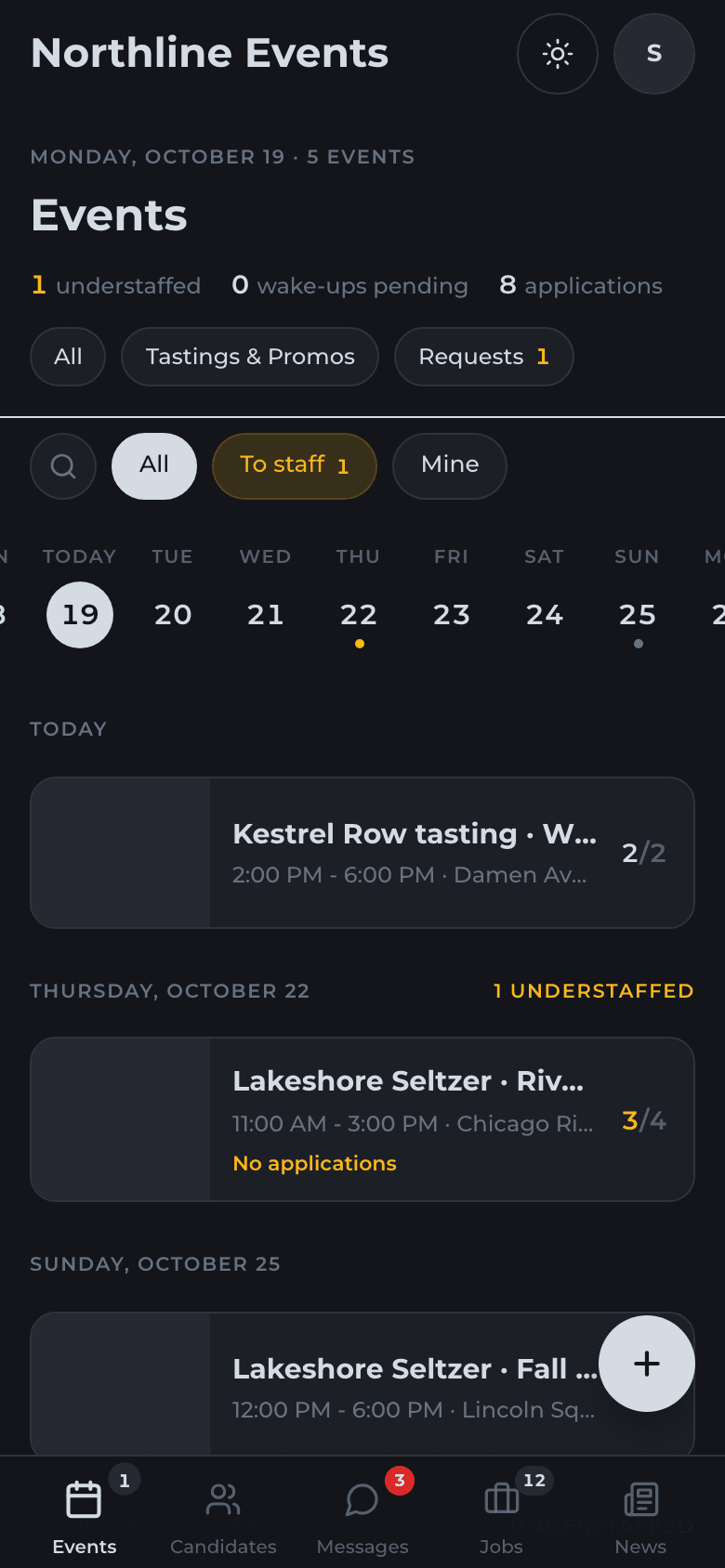
Event schedules change after they are published. What matters is how many texts it takes to absorb the change, and whether you hear about it before the client does. With Staffli, a cancellation reopens the slot with backups already lined up, a client's extra headcount arrives as a request you validate, a new start time reaches every confirmed worker with a delivery status, and a missing clock-in shows on your side before the client calls.
Clients stop emailing to ask who is coming on Saturday. In their portal, on your domain, they request shifts, see the team on site and read the recap. Because the schedule, the clock-in and the hours sit on the same shift, the invoice is built from the hours you validated.
Most agencies start on a spreadsheet and a group text. Here is the same work, job by job, done both ways.
| The job | Spreadsheet and group texts | Staffli |
|---|---|---|
| Publishing next month's shifts | Copy last month's tab, fix the dates by hand, paste the list into a group text. | Reuse last month's program or import the client's spreadsheet, then publish. |
| Choosing who hears first | Whoever the scheduler remembers, texted one by one. | Your most reliable workers, market by market. |
| Collecting the yeses | Replies scattered across threads, a thumbs-up counted as a yes. | Applications in the app, accepted in a tap. |
| Spotting a double booking | Found when the worker says they are already booked elsewhere. | Flagged before you confirm. |
| Filling the last open slots | Another round of texts to everyone. | The rest of the roster hears when you choose, or Nelson handles it. |
| Telling the crew about a change | A group text, and nobody knows who read it. | Push, SMS or both, each message with its delivery status. |
| Knowing what is still unfilled | Scan the spreadsheet for blank cells. | Open slots visible on every event. |
| Answering the client | Screenshot the spreadsheet into an email. | The client sees the team on site in their portal. |
Publishing next month's shifts
Choosing who hears first
Collecting the yeses
Spotting a double booking
Filling the last open slots
Telling the crew about a change
Knowing what is still unfilled
Answering the client
One price per active worker. No modules to buy, no seats for managers.
FAQ
Software that turns a client's staffing need into staffed shifts: it creates the shifts, decides which workers hear about them first, collects applications, catches conflicts, reminds the crew and shows what is still open. For an agency it also connects to clock-in, hours and the client invoice, which a generic team scheduler does not.
You create the shifts once, offer them to the workers you trust most, and workers apply from their phone. You confirm, the rest of the roster hears if slots stay open, and confirmed workers get the brief and reminders. In Staffli the same shift then carries the clock-in, the hours and the recap.
List the positions and the headcount for each time slot, offer the shifts to your most reliable workers first, confirm every worker in writing, send the brief and a reminder before the shift, and keep backups ready. To start for free, use the event staff schedule template.
Generic schedulers assume a fixed team on recurring shifts. Event staff scheduling software handles a large pool of on-demand workers, one-off shifts at changing venues, your best people offered shifts first, worker documents and client-specific briefs. Staffli is built for that model.
Yes. Workers use your agency's own app, with your name and logo. They see the shifts offered to them, apply in one tap and get reminders on push or SMS. Managers have the back office on iPhone.
Yes. One event holds several roles, such as bartenders, servers and brand ambassadors, each with its own headcount, times and rates.
Yes. Import the client's spreadsheet as a CSV and the shifts are created from it, checked before anything goes live.
Yes. A scheduled shift carries the clock-in, the hours the worker submits and the recap. Hours you validate flow into the client invoice without re-entry.
Vendors charge per manager seat, per user or per worker. Staffli is priced per active worker per month: you pay only for workers who worked a shift in the last two months, admin seats are unlimited, and SMS costs 3 cents a message. The exact rate is on the pricing page.
Keep exploring
Contact
Share your market (events, trade shows, hospitality), your team size and monthly shift volume. We'll come back with a tailored Staffli and Nelson demo built for your operation.
Your data is stored securely and handled in compliance with applicable US and EU privacy regulations.