One profile per worker
Documents, certifications, reliability and notes from past missions, in one place your whole team sees.
Event staff management
An agency's crew is a few hundred people you do not see every day: who is certified, who signed, who is reliable, who read the brief, who was actually on site. Staffli keeps all of it on one profile per worker, in your branded app and your back office, so managing event staff stops depending on one coordinator's memory and inbox.
Documents, certifications, reliability and notes from past missions, in one place your whole team sees.
Onboarding documents are signed in your agency's app, with an evidence certificate on every signed PDF. No DocuSign subscription.
Food handler cards and alcohol server permits sit on the profile with expiry dates, with alerts before they lapse.
Push, SMS or both, with a delivery status on every message, and a group chat for every event.
Agencies usually keep their crew in three places: a spreadsheet of names and phone numbers, a folder of documents, and the head of whoever has been there longest. Event staff management software puts it in one place: one profile per worker, with their documents, their certifications and what your team noted after each mission.
That profile is what makes the rest work. Workers without the right certification are not booked on shifts that need it, your most reliable people hear first, and a good night at a venue is not forgotten when the coordinator who saw it moves on.
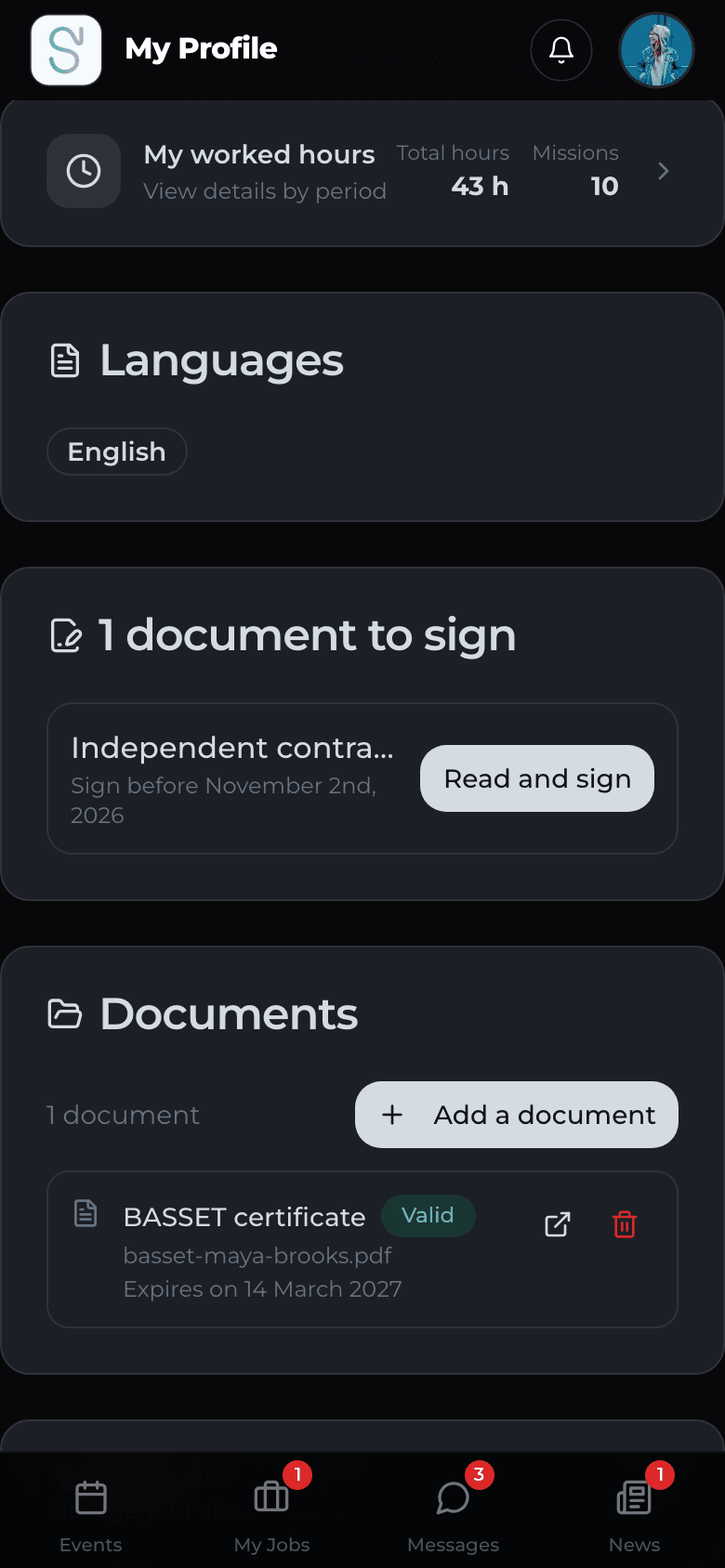
A new worker should be ready before their first shift, not during it. Staffli prepares each worker's onboarding documents, such as offer letters, contractor agreements and NDAs, and the worker signs them in your branded app. Every signed PDF carries an evidence certificate and is filed on the profile.
Certifications are uploaded from the phone with their expiry dates, and Staffli reminds the worker and your team before a card lapses. Which card a role needs depends on your state and sometimes your county: Staffli keeps the record, your team decides the rule.
How e-signature for onboarding documents worksEvent staff rarely read email, and many turn off push notifications. On every send you choose push, SMS or both, and each message is logged with its delivery status. On the shift itself, workers find the brief and the brand files, a group chat for the event and a direct line to your on-call manager.
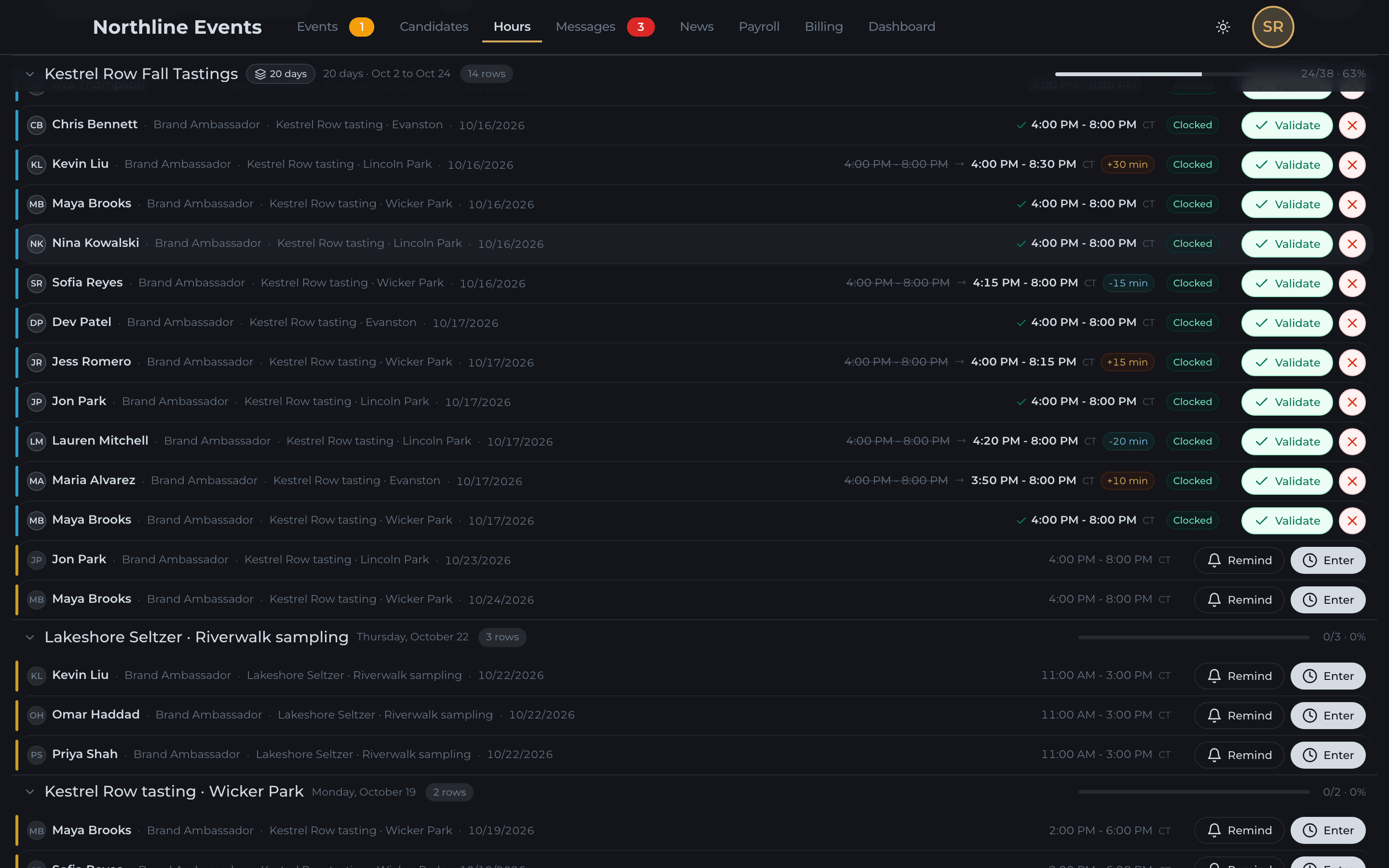
Clock-in is verified at the venue with a selfie. After the shift, your team checks the hours against the clock-in and validates them, and the recap your client expects comes back from the phone, approved by you before the client sees it.
Validated hours become the client invoice and an export for your payroll provider. Staffli does not run payroll.
Geofenced time tracking for event staff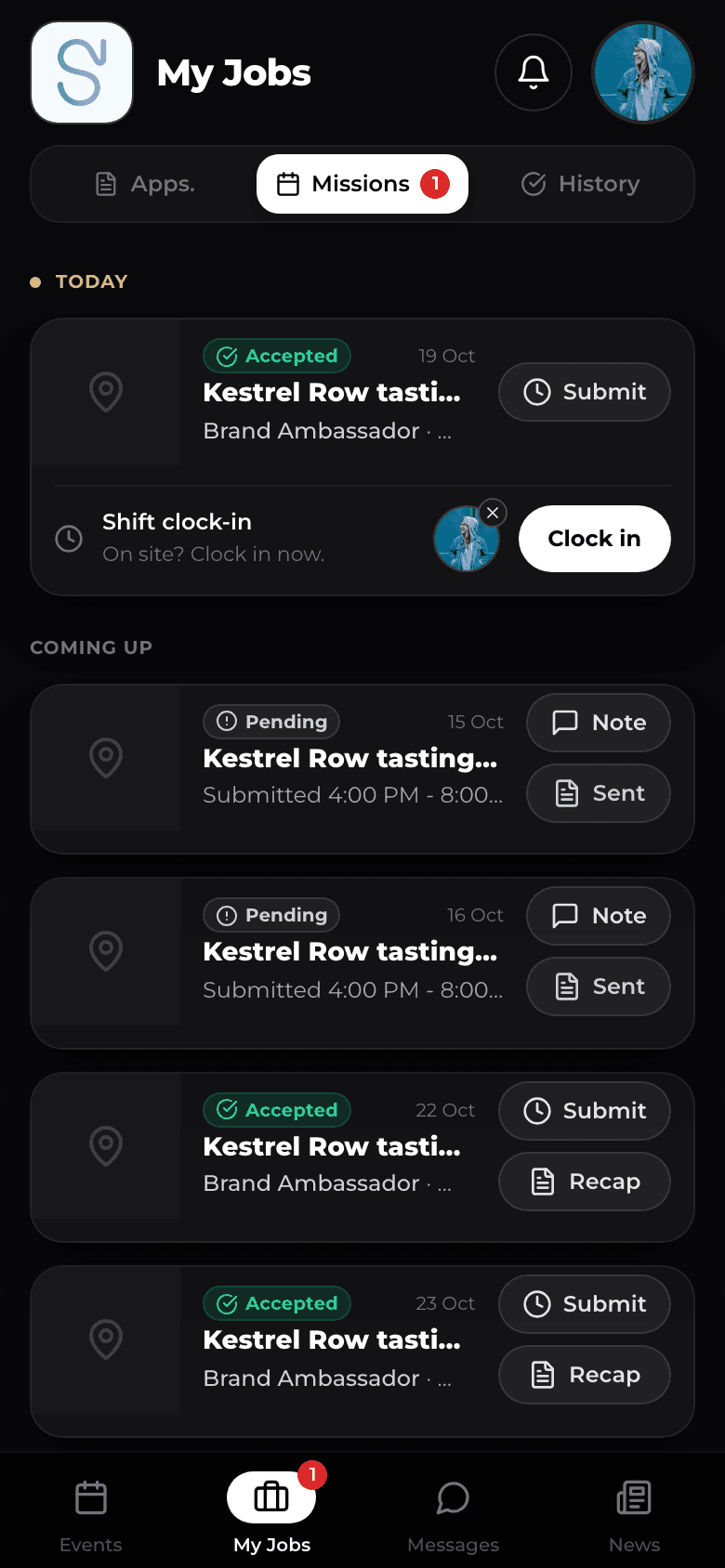
Managers are rarely at a desk on event days. The whole back office runs on iPhone, so you can staff, answer the crew and post to the roster from the venue. And when it is faster to say it than to tap it, Nelson, your AI staffing coordinator, does the work from one sentence.
See the whole event staffing app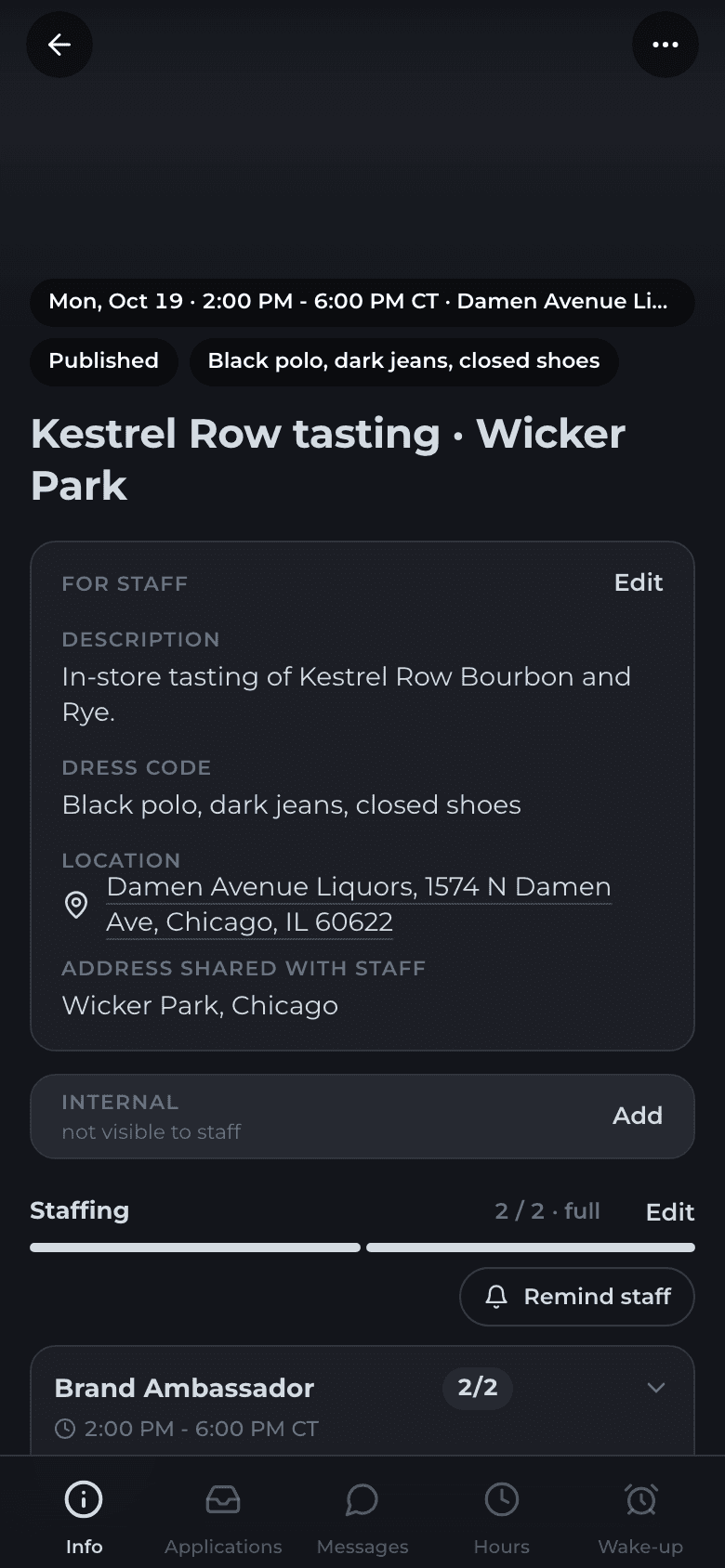
Most agencies start on a spreadsheet and a group text. Here is the same work, job by job, done both ways.
| The job | Spreadsheet and group texts | Staffli |
|---|---|---|
| Knowing who can work a bar shift | Ask around, then dig for a photo of their card. | The certification is on the profile with its expiry date, checked before anyone is booked. |
| Onboarding a new worker | Email a PDF, wait for a scan, file it somewhere. | Documents signed in your app, filed on the profile. |
| Remembering who was good | The longest-serving coordinator's memory. | Notes on every mission, and your best people hear first. |
| Briefing the crew | A forwarded PDF in a group text. | The brief on the shift and a group chat per event. |
| Proving who was there | A paper sign-in sheet or a photo of a watch. | Clock-in verified at the venue with a selfie. |
| Collecting hours | Times sent by text, copied into a spreadsheet. | Hours checked against the clock-in, validated in one pass. |
| Getting the recap to the client | Photos collected over text and pasted into a deck. | A recap you approve, released to the client's portal. |
| Handing hours to payroll | Re-keyed from the spreadsheet. | An export from the same validated hours. |
Knowing who can work a bar shift
Onboarding a new worker
Remembering who was good
Briefing the crew
Proving who was there
Collecting hours
Getting the recap to the client
Handing hours to payroll
One price per active worker. No modules to buy, no seats for managers.
FAQ
Software that manages the people behind your shifts, not only the shifts: a roster with profiles, onboarding documents and certifications, messages by push and SMS, on-site check-in, hours, ratings and recaps. Event staff scheduling software decides who works when; event staff management software covers everything around that person before, during and after the shift. Staffli does both.
Yes, two sides of the same one. Your workers use your agency's branded app to apply, sign documents, read briefs, clock in and send recaps. Your managers run the back office on iPhone. Both carry your agency's name, not Staffli's.
Rank them instead of treating everyone the same, so your most reliable people hear first. Keep documents and certifications on the profile with expiry dates, so eligibility is checked by the software and not by memory. Reach everyone on the channel they read, and note every mission, so the next booking starts from facts.
Upload them to the worker profile with their expiry date, from the back office or the worker's phone. Staffli reminds you and the worker before a card lapses and keeps workers without a valid one off the shifts that require it.
Yes. Staffli prepares each worker's onboarding documents, such as offer letters, contractor agreements and NDAs, and the worker signs them in your branded app. Every signed PDF carries a timestamp and an evidence certificate. E-signature is included, with no DocuSign subscription.
Staffli does not move money and does not file with the IRS. It produces the validated hours, an earnings statement per contractor and per pay period, and a payment register export for ADP, Gusto, Paychex or generic CSV. Invoices export to QuickBooks, Xero or generic CSV. Your payment provider stays your provider.
Your agency's app. Staffli is fully white-label: the worker app carries your name, your logo and your colors, the client portal runs on your own domain, and your data sits in a dedicated database. Workers and clients never see the Staffli brand.
Staffli is priced per active worker per month. You only pay for workers who actually worked a shift in the last two months. Admin seats are unlimited, with no per-seat fees for managers. SMS is billed at 3 cents a message. The exact rate is on the pricing page.
Keep exploring
Contact
Share your market (events, trade shows, hospitality), your team size and monthly shift volume. We'll come back with a tailored Staffli and Nelson demo built for your operation.
Your data is stored securely and handled in compliance with applicable US and EU privacy regulations.